A home office uses surprisingly little electricity for the equipment and a lot for heating or cooling the room. A laptop draws 30 to 60 W against 100 to 250 W for a desktop tower, a 24 to 27 inch LED monitor 20 to 40 W, and an LED desk lamp under 10 W; a 1.5 to 2 kW electric heater running in the same room uses more in one hour than the laptop does in a week. So the order of savings is: heat or cool only the room you work in and only while you are in it, choose a laptop over a desktop, and switch everything off at a single power strip at the end of the day.
What home office equipment draws
| Item | Typical draw in use | 8-hour day | Standby |
|---|---|---|---|
| Laptop | 30 to 60 W | 0.25 to 0.5 kWh | 1 to 2 W |
| Desktop PC (office use) | 100 to 250 W | 0.8 to 2 kWh | 2 to 5 W |
| 24 to 27 in LED monitor | 20 to 40 W | 0.15 to 0.3 kWh | Under 1 W |
| Router | 6 to 12 W, always on | 0.15 to 0.3 kWh per 24 h | Same |
| Inkjet or laser printer | Inkjet 15 to 30 W printing; laser 300 to 600 W printing | Negligible if idle | 3 to 10 W; switch off |
| LED desk lamp | 5 to 10 W | 0.04 to 0.08 kWh | 0 |
| Portable electric heater | 1,500 to 2,000 W | Up to 12 to 16 kWh | 0 |
| Portable air conditioner | 900 to 1,400 W | 7 to 11 kWh | 1 to 3 W |
Sit near a window for daylight but side-on to it to avoid glare, set the computer to sleep after 10 to 15 minutes, and use a smart or switched power strip so the printer, speakers and chargers are truly off overnight, see cutting standby power. If heating is the big number, a small panel heater on a thermostat and timer in the office beats running the whole-house system, and smart energy management can automate it.

Heat the person and the room, not the house
This is where the saving is. Heating an entire house all day for one occupied room is the single largest avoidable cost of home working.
- Fit a thermostatic valve on the office radiator and turn the rest of the house down
- Or use a small, thermostatically controlled electric heater in the office and leave the central heating off during the day – for one room this is usually cheaper
- Close the office door and draught-proof it
- In summer, a fan and closed blinds on the sun-facing side beat cooling the whole house
- Position the desk away from a cold external wall or a hot window
A heated throw or footwarmer under the desk uses a tiny fraction of the power of a room heater and often removes the need for one.
Equipment choices
Laptop over desktop. A laptop typically uses a fraction of the power of a desktop tower for the same work. Connect it to a large monitor and a proper keyboard for ergonomics without the energy cost.
Monitor size and brightness. Larger screens use more power, and brightness is the biggest variable within a given screen. Dropping brightness to a comfortable level for your room lighting makes a measurable difference over a working year.
Laser versus inkjet. Laser printers draw a lot during warm-up. If you print rarely, an inkjet or no printer at all is the efficient answer. Whatever you have, switch it off at the wall between uses.
Power settings. Set displays to sleep after a few minutes and the machine to sleep after fifteen. Disable screensavers, which prevent sleep and use more power than a blank screen.

Kill standby loads
A home office accumulates chargers, docks, speakers, routers, printers and monitors that draw power continuously. Put everything except the router on a switched power strip and turn it off at the end of the day. A smart plug with a schedule does it automatically.
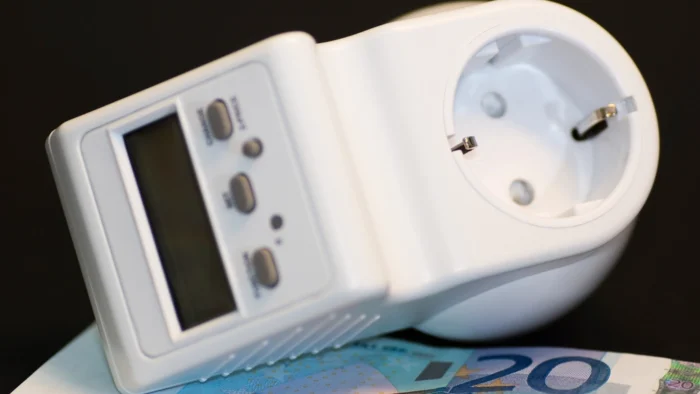
Measure before assuming – a cheap plug-in energy monitor will show which device is the quiet constant drain, and it is often not the one you expect.
Lighting
Position the desk to use daylight, side-on to the window to avoid glare on the screen. Use a single LED task lamp on the desk rather than lighting the whole room brightly. Warm white around 3000 to 4000K suits a working space.
Ventilation and comfort
A closed room with one person gets stuffy, and poor air quality reduces concentration long before it becomes unhealthy. Open a window briefly a few times a day rather than leaving it ajar all day, which wastes heat continuously. A small desk plant helps humidity marginally and the view more.
If you are building or converting a space
Insulate the room properly, particularly if it is a loft, garage conversion or garden room – these are usually the coldest and hottest spaces in a property. Specify a good window with appropriate solar control for the orientation. Run enough sockets so you are not daisy-chaining extensions. And consider a small dedicated heat pump or air conditioner for a garden office, which will outperform a plug-in heater by a wide margin over a few winters.
The short version
Zone the heating so you warm one room, switch the standby loads off, use a laptop and a dimmer screen, and let daylight do the lighting. Those four changes cover most of the difference between an efficient home office and an expensive one.
When this does not apply
Workstations for video, 3D or gaming draw 300 to 600 W under load and change the picture; there the PC itself is worth optimising. With a heat pump and a well-insulated house, heating the whole home gently can be cheaper than a plug-in heater in one room.