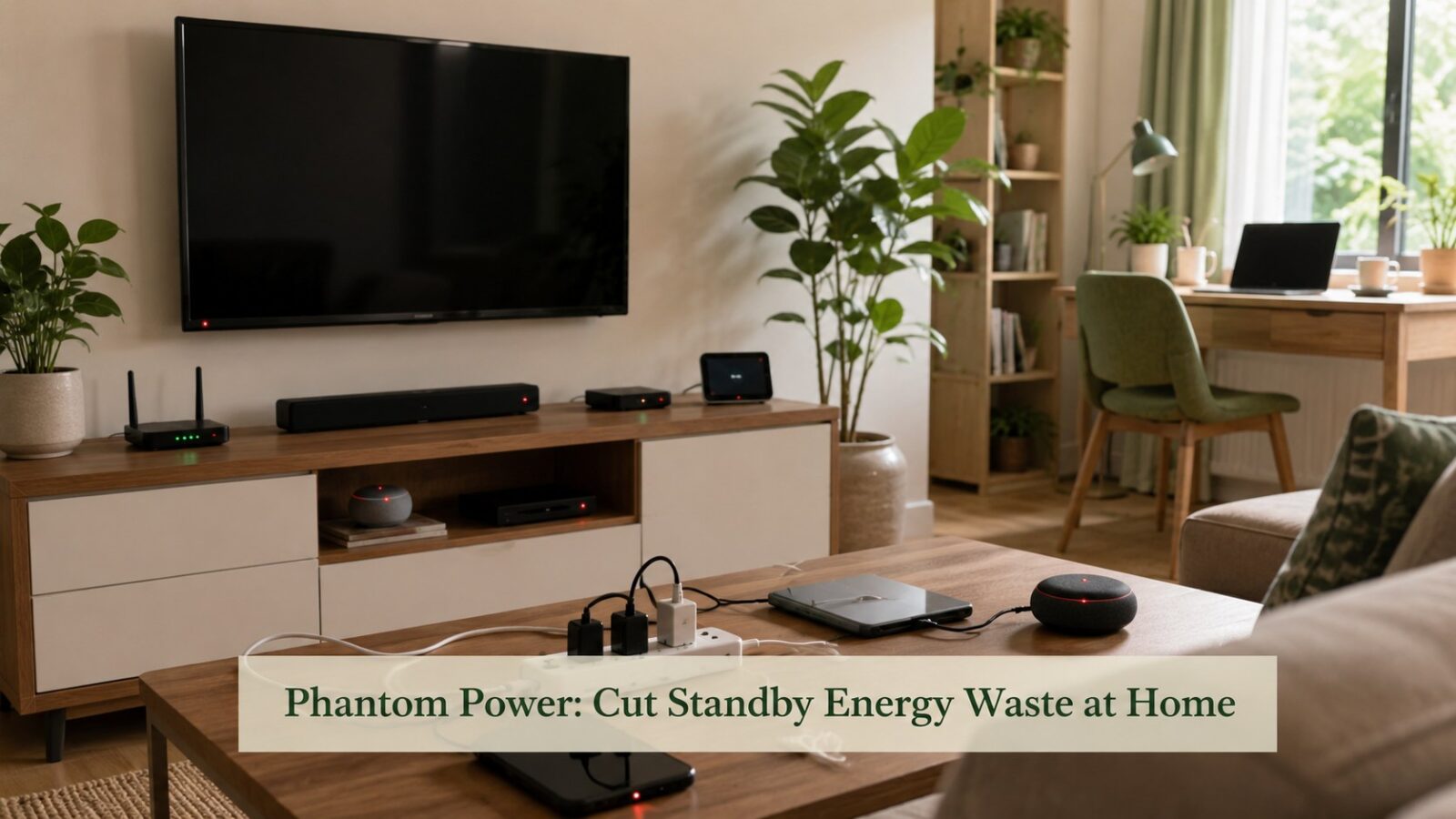
A surprising slice of a home’s energy use happens when nobody is using anything. Televisions, chargers, set-top boxes, game consoles, and countless adapters draw a trickle of power around the clock just to stay on standby or keep a little light glowing. Individually each is tiny; together, this “phantom load” can quietly account for a meaningful share of a household’s annual energy use. The good news is that finding and cutting it is mostly free, takes an afternoon, and once handled stays handled. This guide explains where phantom power hides and how to eliminate the waste without giving up any convenience that matters.
The honest principle is that standby waste is the easiest energy to cut because you lose nothing by cutting it. Unlike heating or cooling, where saving means a small comfort trade-off, switching off a device that is doing nothing costs you exactly nothing.
Where phantom power hides
The biggest offenders are devices that stay warm, glowing, or instantly ready. A quick audit of your home usually turns up the same suspects.
- Entertainment clusters: TVs, set-top boxes, sound systems, and consoles that stay in instant-on standby.
- Chargers left plugged in: phone and laptop adapters draw a little even with nothing attached.
- Always-on appliances: microwaves and ovens with clocks and displays, and similar standby draws.
- Office gear: printers, monitors, and routers that idle all day and night.
- Anything with a remote or a little light: if it can wake instantly, it is drawing power to wait.
The simple fixes (mostly free)
Switch off at the wall
The most basic and effective step. Devices that are genuinely off at the socket draw nothing. Getting into the habit of switching off entertainment clusters and unused chargers cuts the bulk of phantom load for free, and it pairs with the other no-cost habits in our home energy guide.
Use power strips for clusters
A single switched power strip lets you cut power to a whole cluster, a TV and its accessories, or a desk full of office gear, with one flick. It turns an awkward reach-behind-the-cabinet chore into a one-second habit you will actually keep.
Add timers and smart plugs
For devices that should only run at certain times, a timer or smart plug automates the cutoff entirely. These are among the cheapest, highest-return devices in our roundup of smart devices for energy savings, precisely because they kill standby waste without you having to remember.
Finding your own phantom load
You do not have to guess. A little awareness of which devices stay warm or lit, and where the clusters are, tells you where to focus. For a clearer picture of what each device draws and which ones quietly cost the most, an energy monitor turns the invisible into something you can act on, an approach covered in our home energy monitor guide. Even a single evening of looking usually reveals an obvious cluster worth switching off.
What to leave alone
Not everything should be cut. A few devices genuinely need to stay powered, and forcing them off causes more trouble than it saves.
- Refrigerators and freezers, which must run continuously.
- Routers and home networking, if you rely on them overnight, though these can be timed if not.
- Devices that need to update, record, or stay reachable for a real reason.
- Anything where repeated power cycling could cause data loss or wear, such as some computers.
Common mistakes
- Assuming standby draw is too small to matter, when it runs every hour of every day.
- Leaving chargers plugged in permanently out of habit.
- Cutting power to devices that genuinely need to stay on, then dealing with the fallout.
- Relying on willpower instead of power strips and timers that make the habit effortless.
- Focusing only on phantom load while ignoring the bigger users like heating and cooling.
Editor’s note
Phantom power is the rare saving with no downside at all: you give up nothing by switching off a device that is doing nothing. The trick is to make it effortless, because nobody keeps a habit that means reaching behind furniture every night. Put entertainment clusters and office gear on switched power strips, plug seldom-needed devices into timers, and unplug chargers when they are idle. Do that once, build the one-second habit, and a quiet, year-round drain on your energy simply disappears, while the bigger savings from heating, cooling, and appliances do the heavy lifting.
Frequently asked questions
How much can cutting standby power actually save?
It varies by home, but phantom load commonly accounts for a meaningful share of annual energy use, since it runs around the clock. Homes with many entertainment and office devices on instant-on standby save the most. The exact figure depends on how many always-ready devices you have and how long they would otherwise idle.
Do phone chargers really use power when nothing is plugged in?
A small amount, yes, while plugged into a live socket, though modern chargers draw less than older ones. The draw from a single charger is tiny, but several left plugged in permanently add up over a year. Unplugging them or using a switched strip removes that small, constant waste.
Is it bad to switch electronics off at the wall?
For most everyday devices, no, it is perfectly fine and saves standby power. The exceptions are appliances that must run continuously, like the fridge, and devices that need to stay on to update or record, or that dislike frequent power cycling. Leave those on and switch off the rest.
Are smart plugs worth it just for standby savings?
For clusters you would otherwise forget, yes. A smart plug or timer automates the cutoff so the saving happens whether or not you remember, and the devices are inexpensive. For a single easy-to-reach device, a basic switched socket or strip does the same job for less, so match the tool to the situation.
Does cutting standby power affect how my devices work?
Not in any way that matters for most devices. A television, sound system, or charger switched fully off simply takes a moment longer to start next time, which is a negligible trade for cutting a round-the-clock drain. The only devices to leave alone are those that must stay on, like the fridge, or that need to update or record, so cut the rest freely and lose nothing you will notice.
The bottom line
Standby or phantom power is the easiest energy waste to cut because you sacrifice nothing by cutting it. Find the always-ready devices, put entertainment and office clusters on switched power strips, automate seldom-used ones with timers or smart plugs, and leave alone the few devices that genuinely must stay on. Done once and built into a simple habit, it removes a constant, year-round drain, a free win that complements the larger savings from heating, cooling, and efficient appliances.